
Everlance: Mileage Tracker
Everlance Mileage TrackerFinance
4.710.52K Reviews
- Version
- 5.1.8
- Installs
- 1.00M
- Age Rating
- Everyone
Screenshots
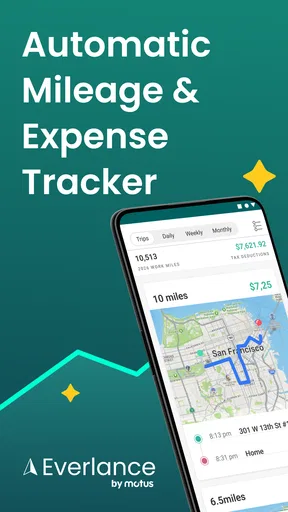

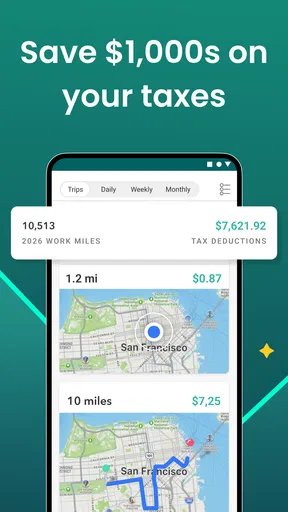
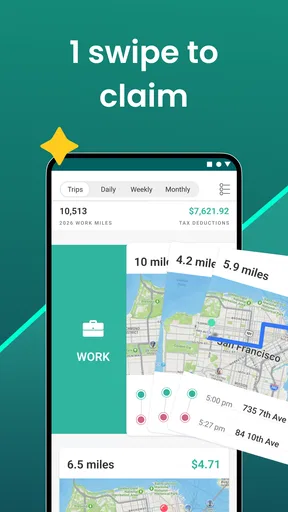
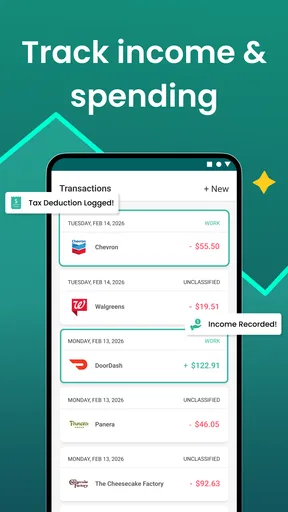
Our Review of Everlance: Mileage Tracker
 Analysis by Appyee
I like mileage trackers most when they remove a small but persistent chore without turning into another job to manage. Everlance: Mileage Tracker is built around that idea: it records driving and helps keep related expenses together, which can be useful when work sends you from one address to another. Its strongest case is for people who make frequent work trips and want a clearer record than memory or scattered notes can provide. The trade-off is that automatic tracking still needs your attention; I would treat it as a convenient starting point, not a reason to stop checking your records.
Where automatic tracking earns its keep
The main practical advantage is continuity. When several drives happen during a busy day, recording each one manually is easy to postpone, and postponed notes are easy to forget. Automatic trip detection can capture the basic journey while it is fresh, leaving you to classify it afterward. That is a better fit for a delivery worker, a consultant visiting clients, or a contractor moving between job sites than for someone who drives only occasionally for work.
For example, picture a self-employed cleaner who drives to three customers, stops for supplies, and then heads home. Rather than trying to reconstruct every leg at night, they can review the detected trips and decide which belong to work and which are personal. The useful habit is to make that review part of the day’s wrap-up: a quick check while the destinations and purpose are still familiar is less error-prone than sorting a backlog at tax time.
Keep the record useful, not merely complete
A GPS log can show where a car went, but the driver still has to make the record meaningful. A trip to a shop might be for a job, a personal errand, or both; the route alone cannot explain the reason. I recommend classifying trips promptly and checking unusual journeys rather than assuming every automatically detected drive has been labeled correctly. This small routine matters more than having a long list of trips that nobody has reviewed.
The expense side can complement that routine. Saving a receipt image and assigning a category while the purchase is easy to identify gives you a more organized trail than keeping paper receipts loose in a bag. It is particularly helpful for someone who buys work supplies on the road, though a photo is only useful if the receipt is legible and the category makes sense later. I would still check the app’s reports against my own records before sending them to an accountant or using them for a filing.
What is Everlance?
So, Everlance: Mileage Tracker is an app designed to help you keep track of your mileage and expenses. If you’re self-employed or work in a job where you’re constantly on the road, this app could be your new best friend. It automatically tracks your trips using GPS, which means no more fumbling around trying to remember where you went and when. Plus, it’s available on both Android and iOS, so you’re covered no matter what device you’re rocking.
Setting Up the App
Getting started with Everlance is a breeze. You just download the app, set up your account, and you’re ready to roll. One thing I really appreciate is how intuitive the setup process is. They’ve done a great job of making sure you don’t need a tech degree to figure it out. You’ll be prompted to grant location permissions, which are crucial for the app to do its thing accurately.
Automatic Trip Detection
One of the standout features for me is the automatic trip detection. Imagine this: you get in your car, start driving, and the app just knows. It logs your starting point, tracks where you go, and then saves all that info without you having to lift a finger. When your trip ends, it gives you the option to classify it as business or personal with just a swipe. It’s like having a personal assistant riding shotgun!
Expense Tracking and Reporting
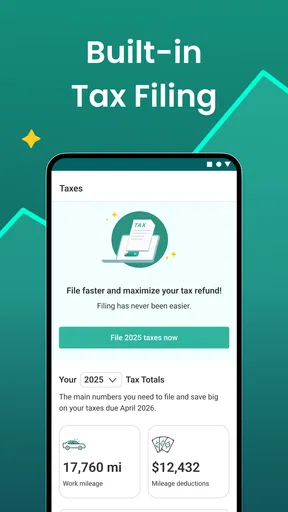
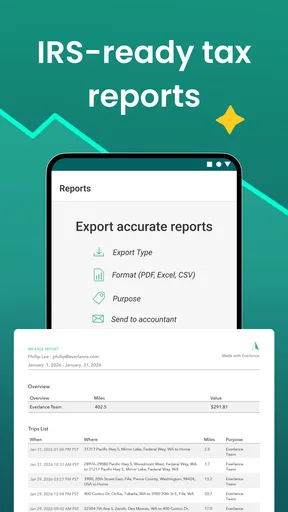
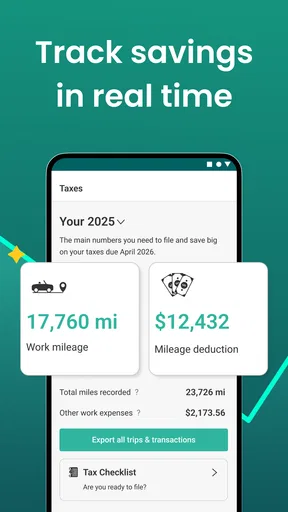
Everlance isn’t just about mileage. It also lets you track expenses, which is super handy. You can snap photos of your receipts and categorize them right in the app. This feature is a lifesaver when it comes time to do your taxes or submit reports. The app generates detailed reports that are easy to understand and perfect for sharing with your accountant.
Customization and Flexibility
Another thing I love is how customizable Everlance is. You can set work hours, preferred mileage rates, and more. This means the app can be tailored to your specific needs, whether you’re a freelancer, a small business owner, or just someone who wants to keep tabs on their driving habits.
User Experience
The user interface is clean and straightforward. Everything is laid out in a way that makes sense, so you’re not left scratching your head trying to find a feature. The app runs smoothly, without annoying lags or crashes, which is a huge plus in my book. And if you ever run into any issues, the support team is responsive and helpful.
Security and Privacy
Now, I know some of you might be wondering about privacy, especially since the app uses GPS tracking. Everlance takes this seriously and has measures in place to ensure your data is secure. You can read more about their privacy policy within the app, and they’re pretty transparent about how your data is used.
How it compares with manual logs
The closest alternative is a notes app, spreadsheet, or paper mileage diary. Those methods can be perfectly adequate if you make only a few work trips and reliably record the purpose and distance each time. They also give you direct control and do not ask you to organize your routine around automatic trip detection. Everlance’s advantage is reducing the need to remember that a journey happened at all; its cost is that GPS-based records and classifications still need review.
That distinction is important for mixed-use driving. If you use one car for errands and work, a tracker can create a useful first draft, but it cannot infer your business purpose from a destination. A simple personal rule helps: classify each trip as soon as you can, and add any context you may not remember later. If you prefer entering a carefully documented mileage total yourself, a spreadsheet may be less distracting. If forgotten trips are your recurring problem, automatic capture is the stronger fit.
Who should use it—and who should pass
This app makes the most sense for freelancers, small-business owners, and people whose jobs regularly involve driving between appointments. It can also suit someone who wants mileage and receipts in one place rather than maintaining separate systems. The developer, Everlance Mileage Tracker, focuses on this practical record-keeping need, and the app is free to start, with in-app purchases available. I would check the current options in the app before building a workflow around paid features.
On the other hand, I would not recommend it as an automatic choice for a driver who rarely travels for work, dislikes location-based tracking, or is already comfortable maintaining a reliable manual log. The audience rating is 4.7 from around 33,000 ratings, and it has over a million installs, but popularity does not settle the question of fit. The app is rated for Everyone, runs on Android 5.0 or later, and its current version is 5.1.1; those details help with basic compatibility, while the day-to-day value depends on whether you will review the records.
Questions worth answering before relying on it
Will it save every trip perfectly? I would not plan on treating any automatically detected journey as final without checking it. GPS tracking is the foundation of the feature, so allow the requested location access and make a habit of reviewing your trip list, especially after a day with brief stops or a mixture of personal and work driving. If a trip is missing or its purpose is unclear, your own timely notes are the dependable backup.
Can it replace an accountant or tax advice? No mileage or expense app can decide what qualifies for your particular situation. Everlance can help organize trip and receipt records, but I would verify classifications, report details, and any applicable mileage rate before using them for formal reporting. Its custom rate setting can make the record more relevant to your workflow, but the number you enter should come from the rules that apply to you, not guesswork.
Is the free option enough? That depends on how much you need and which paid options suit your work; the app includes purchases ranging from $6.99 to $239.99 per item. I would start by identifying the exact task you want to solve—capturing trips, sorting expenses, or preparing reports—then check whether the free experience covers it before paying. That avoids choosing a plan based on a feature you may never use.
A few habits that make the workflow stronger
First, set aside a consistent moment to classify trips rather than letting them accumulate. Second, photograph receipts when you receive them, not after they have been folded into a wallet or left in a vehicle. Third, use work hours and a mileage rate only when those settings match your real working pattern. These are modest steps, but they turn automatic collection into records you can actually understand and explain.
There is also a useful boundary to keep in mind: convenience is not the same as verification. A report can look polished while still reflecting a forgotten classification or a receipt filed under the wrong purpose. I would periodically compare the app’s record with a calendar, appointment list, or other ordinary work notes. That cross-check is especially worthwhile if driving records affect reimbursement or tax preparation.
My verdict
In the finance-app category, Everlance is most compelling when driving is a regular part of earning a living and the alternative is trying to reconstruct trips from memory. Its combination of automatic mileage capture, business-versus-personal classification, receipt photos, and reports gives users a coherent place to organize the details. The main limitation is not a lack of convenience; it is the need for the driver to stay involved in checking and explaining the records.
In conclusion, if you’re looking for a hassle-free way to keep track of your mileage and expenses, Everlance: Mileage Tracker is definitely worth checking out. It’s packed with features that make life easier, and it’s designed to save you time and stress. Whether you’re a road warrior or just someone who likes to keep things organized, this app is a solid choice. Give it a whirl and see how it can streamline your daily grind!
Verdict
Strengths of Everlance: Mileage Tracker
- Easy-to-use interface for quick navigation.
- Automatic mileage tracking saves time.
- Customizable expense tracking features.
- Integrates smoothly with bank accounts.
- Offers IRS-compliant reports for taxes.
Limitations of Everlance: Mileage Tracker
- Subscription required for premium features.
- Battery usage can be high on long trips.
- Initial setup requires bank info input.
- Some features need data connectivity.
- Free version has limited functionalities.
Similar Picks in This Category
View All
Google Wallet
Google LLC4.3

Airtel: Recharge, Bank & Loans
Airtel4.0

PayPal - Pay, Send, Save
PayPal Mobile4.2

DANA Indonesia Digital Wallet
PT Espay Debit Indonesia Koe4.5

Binance: Buy Bitcoin & Crypto
Binance Inc.4.8

Cash App
Block, Inc.4.7
Frequently Asked Questions
What is Everlance: Mileage Tracker, and how does it work?
Everlance: Mileage Tracker is an app designed to help users automatically track their mileage and expenses for business, tax, or personal purposes. It utilizes GPS to log trips and categorize them based on your preferences. Users can generate reports for tax deductions or reimbursements, making it a handy tool for freelancers and business owners alike.
Is Everlance suitable for both personal and business use?
Yes, Everlance is versatile and caters to both personal and business needs. You can use it to track mileage for personal trips or business purposes, such as client meetings. The app allows you to categorize trips and expenses easily, ensuring accurate reporting and management of your travel-related finances.
How accurate is the mileage tracking feature in Everlance?
Everlance uses advanced GPS technology to provide highly accurate mileage tracking. The app runs in the background, automatically logging trips without draining your phone’s battery significantly. However, users should occasionally check the logs to ensure accuracy, as GPS interruptions can sometimes occur.
Does Everlance offer any expense tracking features beyond mileage?
Yes, Everlance offers comprehensive expense tracking features. Users can upload receipts, categorize expenses, and track income all in one place. This makes it easier to manage finances and ensure that all potential deductions are accounted for, maximizing tax benefits for business users.
Is Everlance free, or are there any subscription plans?
Everlance offers a free basic version with essential features. However, for advanced features like unlimited automatic trip tracking and detailed PDF reports, users can opt for a subscription plan. These plans are available monthly or annually, providing more robust tools for comprehensive financial management.
